
Table of Contents
Installing Bundlefic Pro #
The first step in setting up Bundlefic on your WordPress website is to install and activate the Bundlefic Pro plugin.
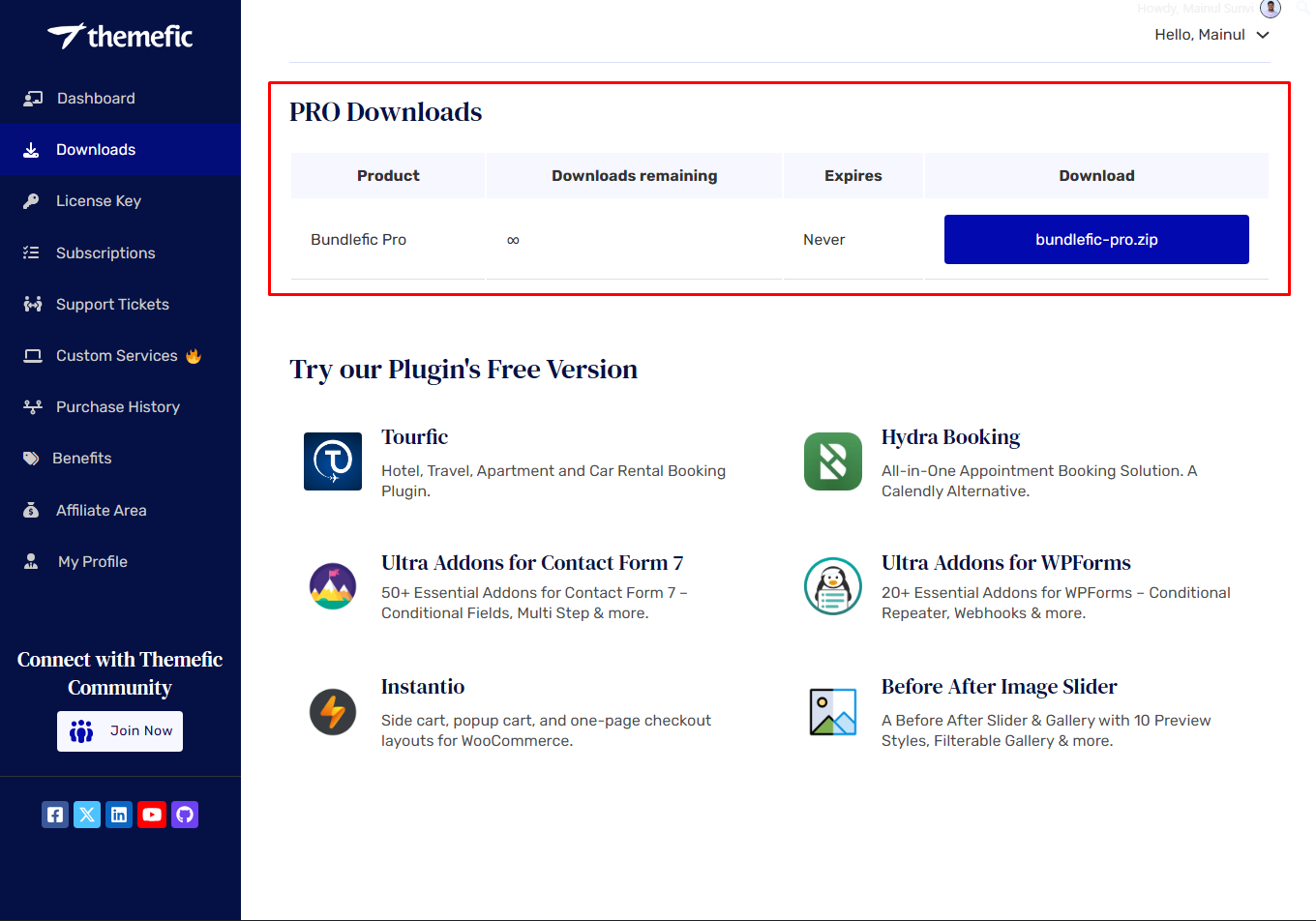
Step 1: Download Bundlefic Pro #
- Log in to your Bundlefic account.
- Go to the Downloads section.
- Download the Bundlefic Pro plugin ZIP file.
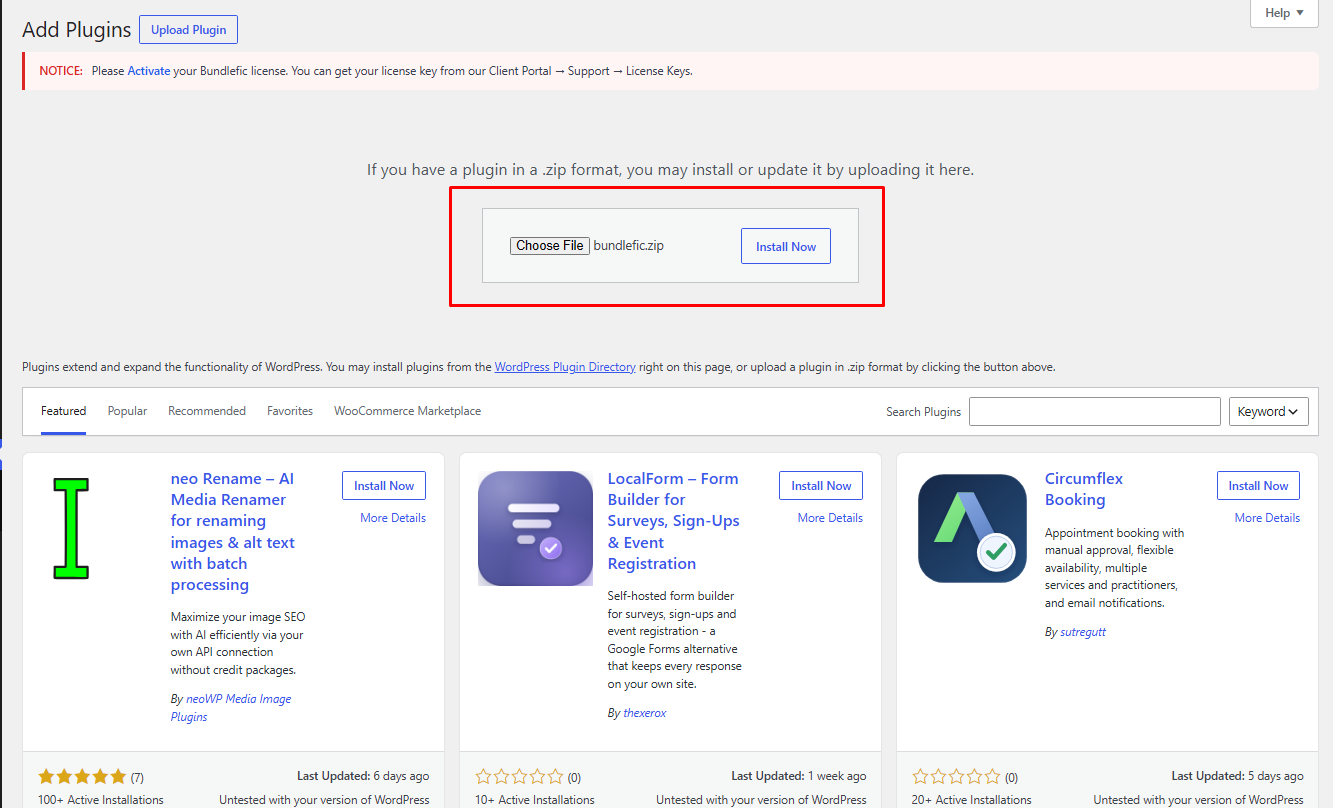
Step 2: Upload Bundlefic Pro to WordPress #
- Log in to your WordPress Dashboard.
- Go to Plugins > Add New Plugin.
- Click Upload Plugin.
- Select the Bundlefic Pro ZIP file you downloaded.
Step 3: Install and Activate the Plugin #
- Click Install Now.
- Wait for the installation to complete.
- Click Activate Plugin.
Bundlefic Pro is now installed and activated on your WordPress website.