
Template Builder Documentation #
The Tourfic Elementor Page Builder Addon provides separate archive and single page templates for each service type. Each service includes a predefined number of ready-made designs, all of which are fully customizable using Elementor.
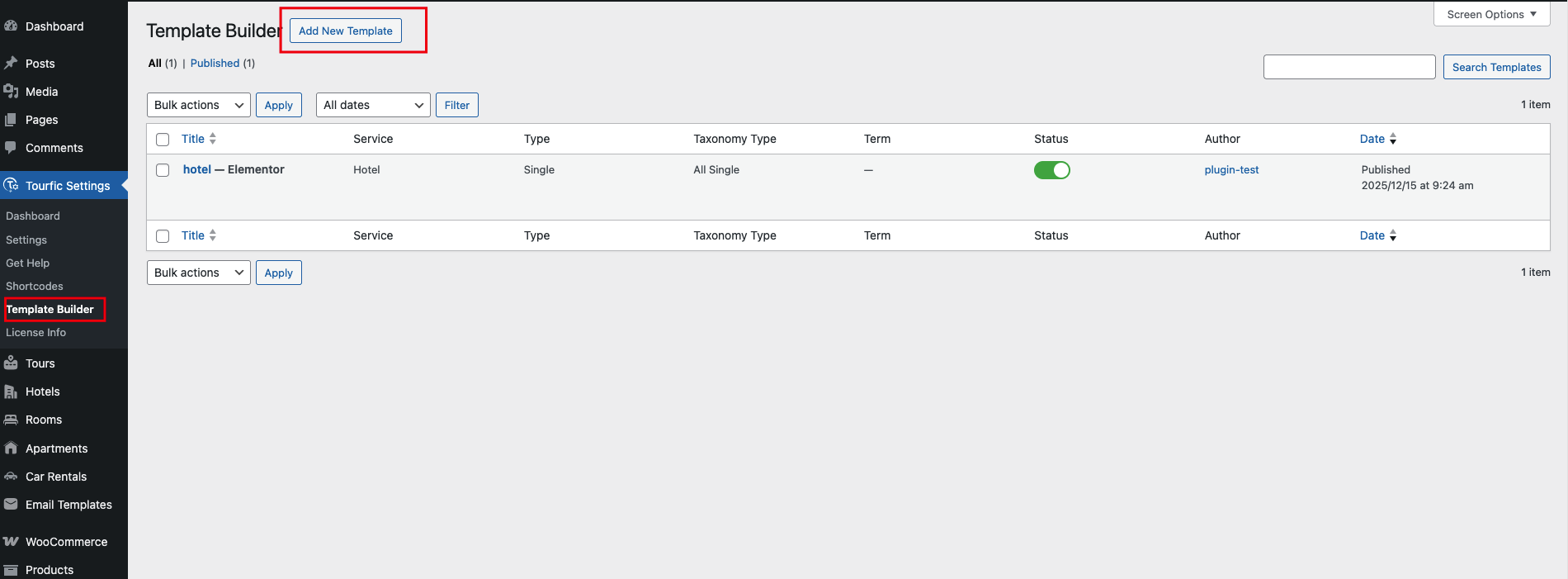
How to Access Template Builder #
-
Go to WordPress Dashboard
-
Navigate to
Tourfic Settings → Template Builder -
Click Add New Template
This opens the Build Your Template panel.
Build Your Template Panel Overview #
The Build Your Template panel lets you define what type of template you want to create and how it behaves on the frontend.
Template Name #
Enter a meaningful name to identify your template.
Example:
-
Hotel Archive Layout
-
Tour Single Page Design

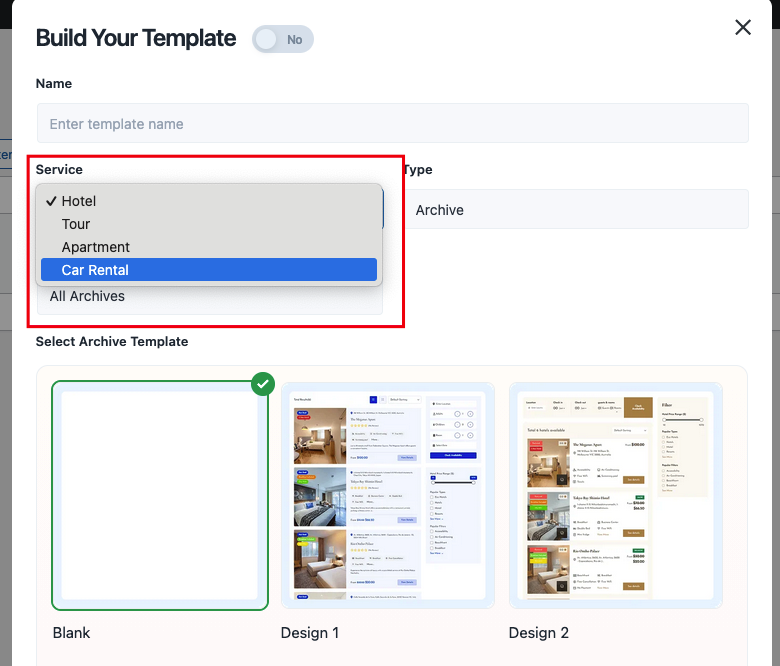
Service Selection #
Choose which Tourfic service the template applies to:
-
Hotel
-
Tour
-
Apartment
-
Car Rental
-
All Archive (for universal archive templates)
⚠️ Each service can have its own archive and single page design.
Template Type #
Select the type of template you want to build:
1. Archive #
Used for:
-
Service listing pages
-
Search result pages
-
Category or location archives
2. Single #
Used for:
-
Individual Hotel pages
-
Single Tour details
-
Apartment or Car Rental detail pages
Archive Type (Archive Templates Only) #
If Archive is selected, you can define:
-
All Archive – applies to all archive pages for the selected service
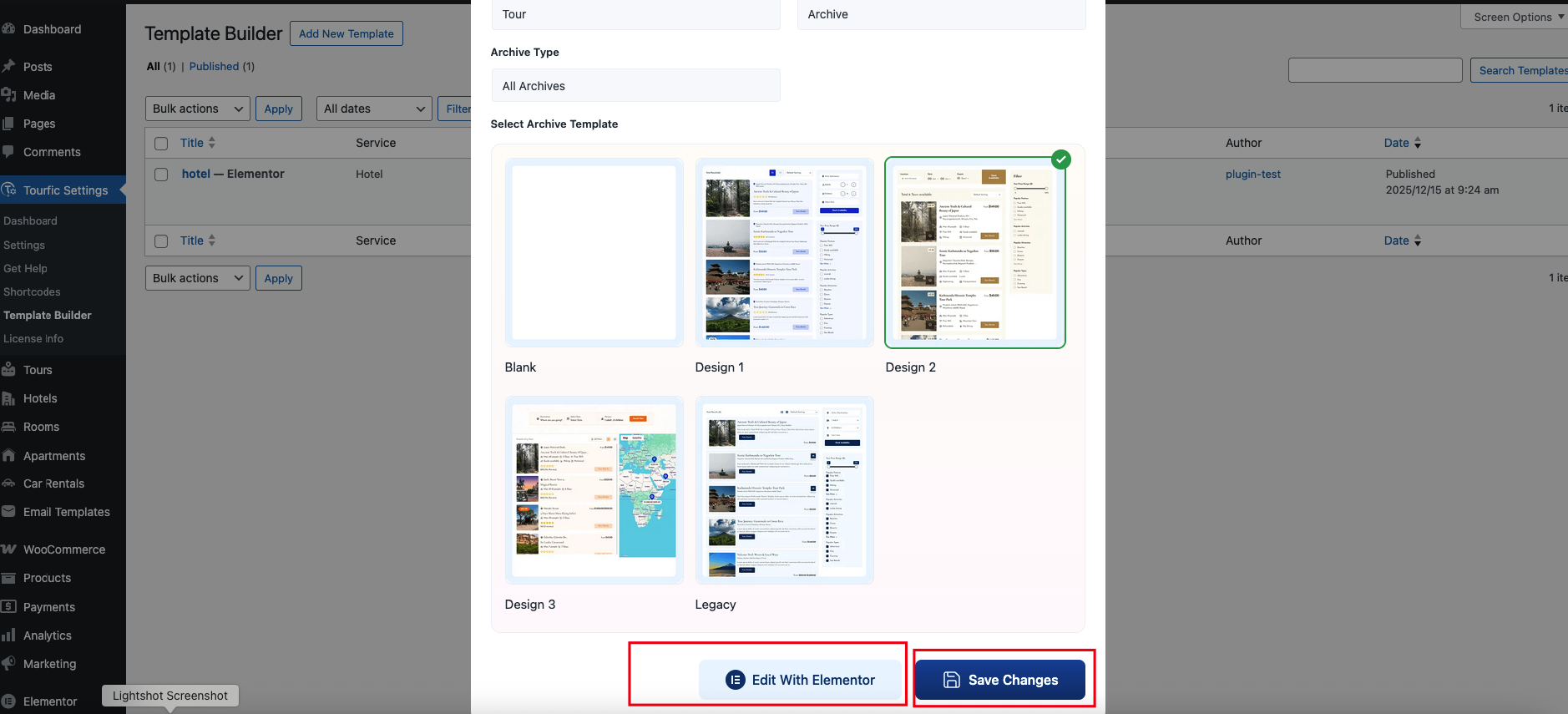
Choose a Pre-Designed Layout #
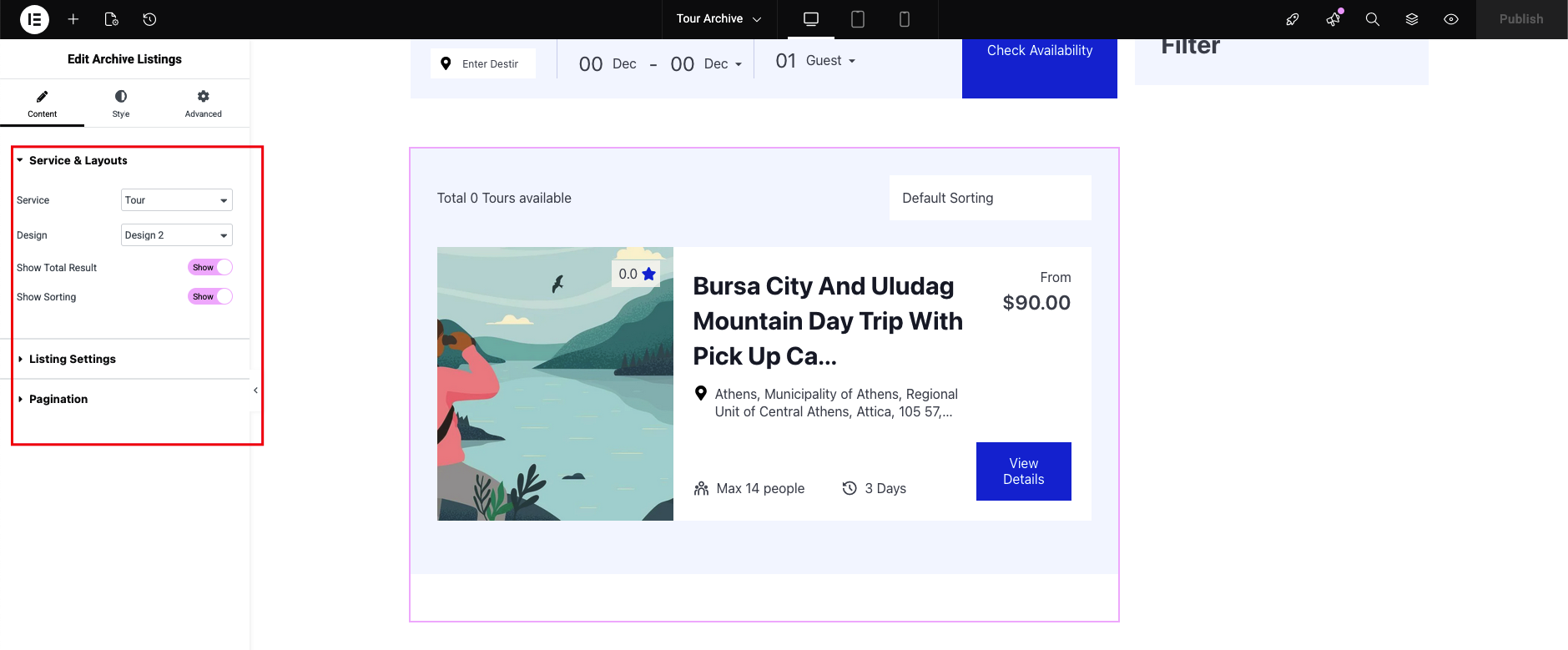
Under Select Archive & Search Result Template, you can choose from:
-
Blank – Start from scratch using Elementor
-
Design 1 – Pre-built archive layout
-
Design 2 – Alternative archive design
These designs are fully editable in Elementor.
Editing with Elementor #
After creating the template:
-
Save the template
-
Click Edit with Elementor
-
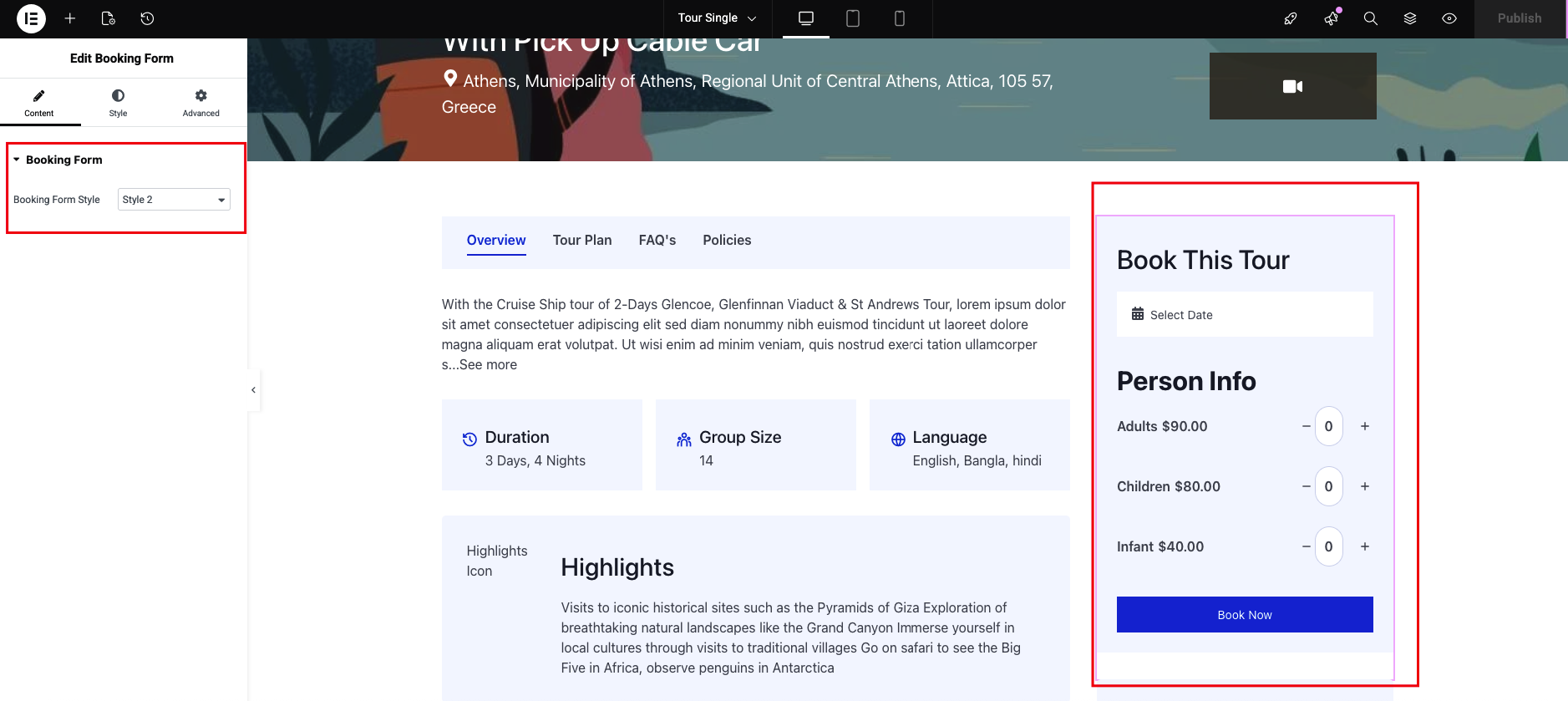
Drag & drop Tourfic Elementor widgets to build your layout
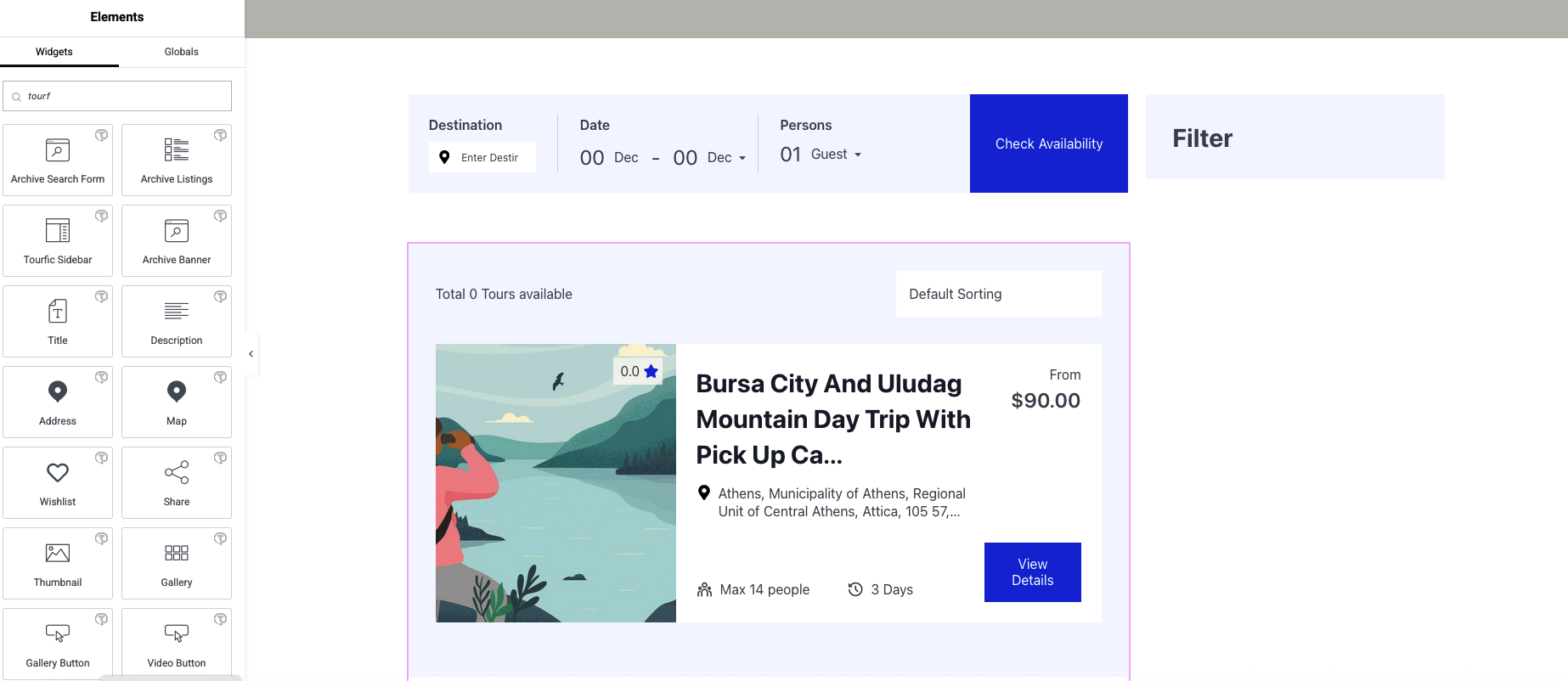
You can customize:
-
Listings
-
Filters
-
Price blocks
-
Availability
-
Search forms
-
Ratings & meta information
Template Priority & Display Logic #
-
Tourfic automatically applies the template based on:
-
Selected Service
-
Selected Type (Archive or Single)
-
-
If multiple templates exist, the most specific one is used first.
Use Cases #
✔ Custom Hotel Search Page #
Create a Hotel Archive template and design a custom search results layout.
✔ Custom Tour Detail Page #
Use a Single Tour template to design tour detail pages using Elementor widgets.
✔ Separate Layouts Per Service #
Each service (Hotel, Tour, Apartment, Car Rental) can have unique designs.
Important Notes #
-
Elementor must be installed and activated
-
Elementor Pro is optional but recommended for advanced layouts
-
Templates override the default Tourfic layout automatically
-
Changes apply site-wide for the selected service and type
Troubleshooting #
Template not showing on frontend?
-
Make sure the correct Service and Type are selected
-
Ensure no conflicting template exists
-
Clear cache if caching plugins are enabled
Summary #
The Tourfic Elementor Page Builder Addon gives you full control over Tourfic layouts with:
-
No coding required
-
Drag-and-drop Elementor interface
-
Separate templates for Archive & Single pages
-
Service-based customization