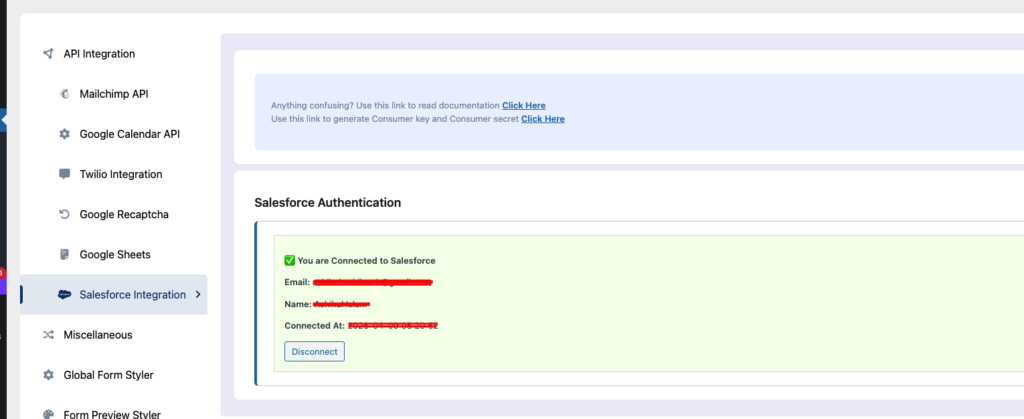
Table of Contents
Create an External Client App in Salesforce to generate your Consumer Key and Consumer Secret. These credentials are required to connect your system via OAuth.
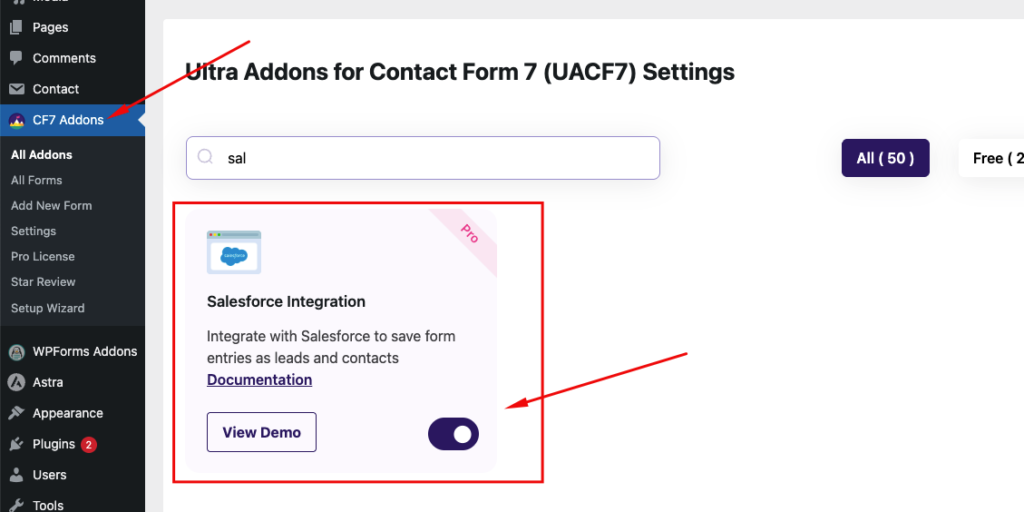
Enable Salesforce Integration #
Go to All Addons Search for “Salesforce Integration” Click Enable
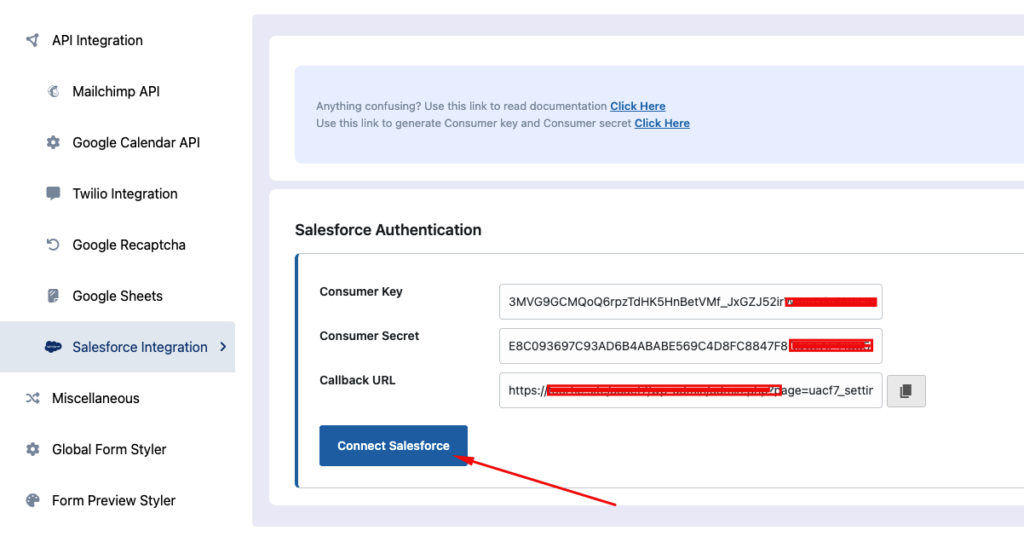
Save and connect to Salesforce #
Open the Salesforce settings panel Click Save and Connect to Salesforce
Connect to a contact form #
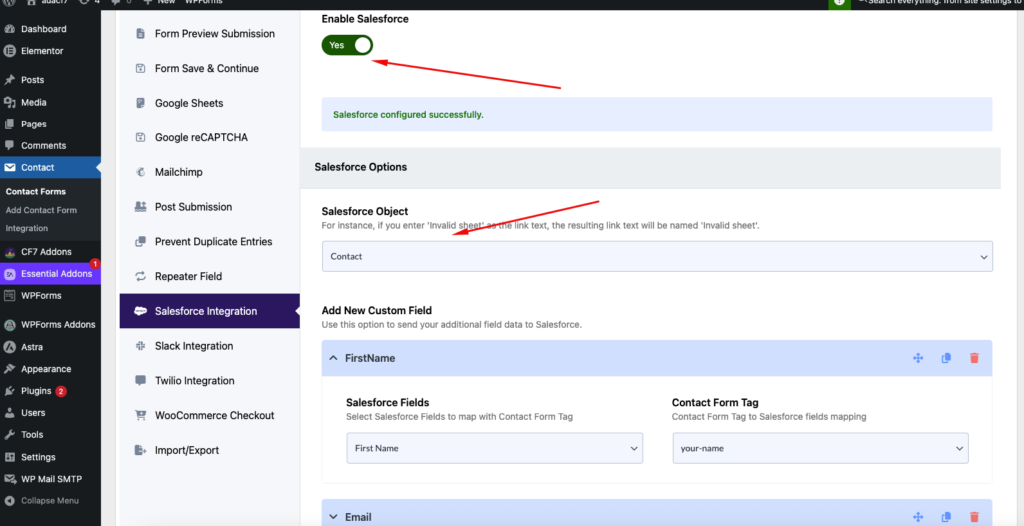
Go to your desired contact form, open form settings, and locate Salesforce Integration
Configure Salesforce Options #
Select Object: Choose your Salesforce object from the dropdown
Map Form Fields to Salesforce #
- Salesforce Fields → Select fields (e.g., First Name, Email)
- Contact Form Tag → Enter your form field names
Add Custom Fields (Optional) #
- Click Add New Custom Field
- Map additional fields like:
- Phone
- Message
- Company
Get Consumer Key & Secret #
Use this link to generate the Consumer key and Consumer secret. Click Here
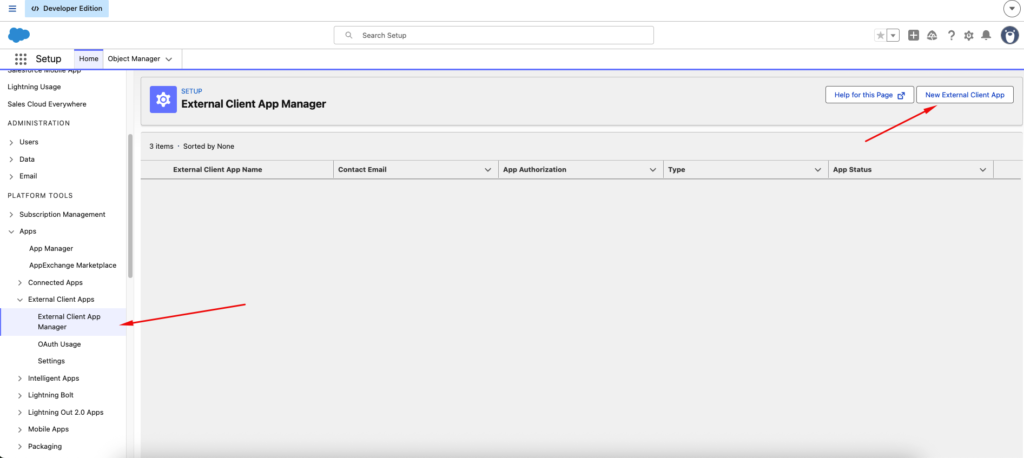
Go to: Apps → External Client Apps → External Client App Manager
Steps #
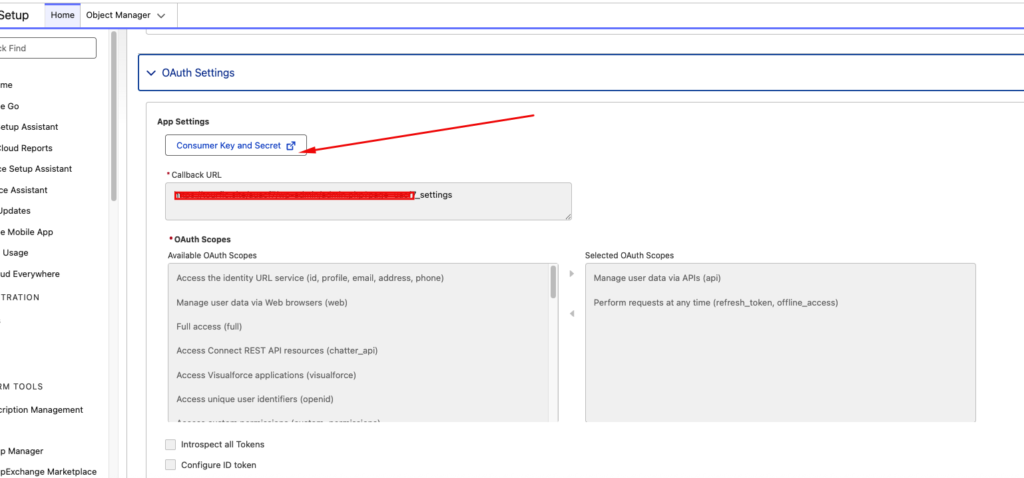
Collect the Kyes and paste them to the settings panel, and connect from the connect button