
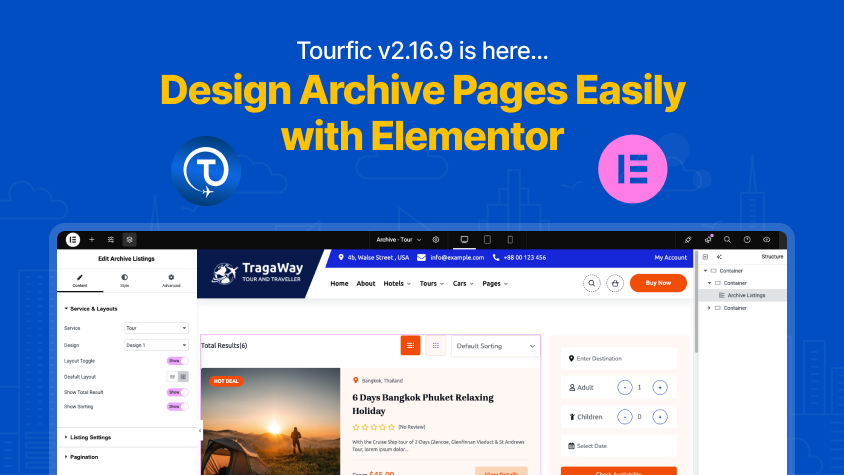
We’re thrilled to introduce one of the most anticipated milestones in Tourfic’s development — version 2.16.9 brings full Elementor Page Builder support for archive pages, including Hotels, Tours, Apartments, and Cars.
Whether you’re a designer, developer, or agency building travel and booking websites, this update gives you total visual control over your archive layouts — all through Elementor’s drag-and-drop interface, no coding required.
Visually Design Archive Pages for Hotel, Tour, Apartment & Car Listings
Until now, archive pages in Tourfic followed pre-defined layouts. With this release, you can now fully customize your archive templates using Elementor, unlocking a powerful new way to manage the look and feel of your listing grids.

Supported archive types:
- Hotel Archives
- Car Archives
- Tour Archives
- Apartment Archives
Want to showcase a custom filter sidebar for hotels? Create a compelling hero banner for tour listings? Or adjust your apartment listing layout? Now, it’s all possible — visually, quickly, and exactly the way you want.
Tourfic Elementor Widgets for Archive Pages
As part of this integration, Tourfic introduces dedicated Elementor widgets built specifically for archive page design. These widgets offer advanced flexibility and rich customization options:
1. Archive Search Form
Design and position your search form visually. Choose layout type, add filters, and style it with full control over spacing, typography, and responsiveness.
2. Archive Listings
Display listing cards dynamically pulled from your archive content. Choose grid or list views, control image size, text styling, padding, and custom hover effects.
3. Tourfic Sidebar
Use this widget to build flexible sidebars with price filters, availability, categories, or custom content. Each element is independently styled and re-orderable.
4. Archive Banner
Add a full-width or boxed banner to your archive pages. Customize images, overlay colors, call-to-actions, headings, or animations — all within Elementor.
Each widget comes with:
- Layout options
- Spacing and alignment controls
- Color and typography settings
- Responsive design customization
You can now build archive pages that match your brand’s voice and your user’s expectations — pixel by pixel.
Use Pre-Built Archive Templates
Need a head start? Tourfic includes professionally designed pre-built archive templates, which you can import and customize inside Elementor. These templates provide:
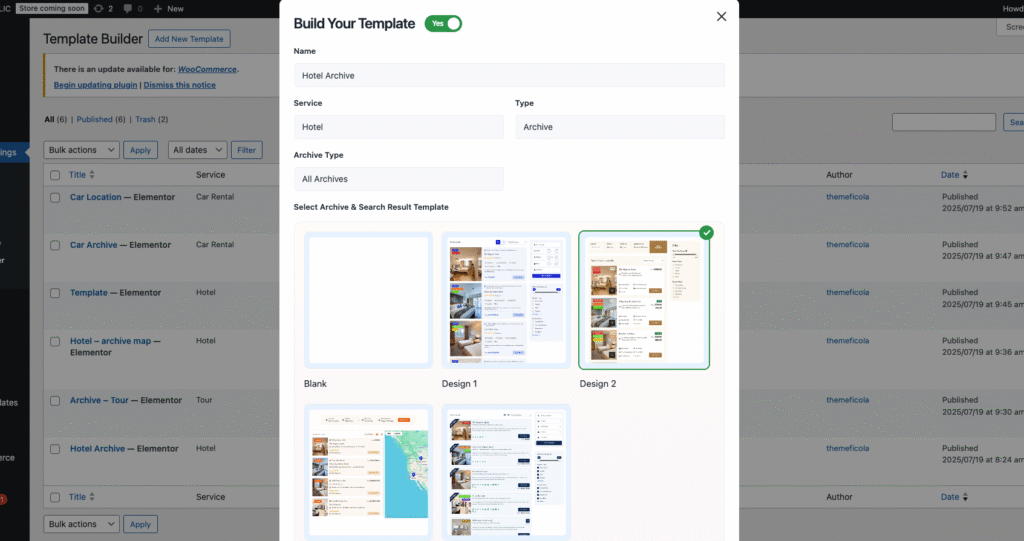
- Clean, modern UI
- Mobile-friendly responsive layouts
- Smart structure optimized for travel search
Perfect for quick launches or building client projects at scale.
Single Page Support Coming Soon
Tourfic’s Elementor integration doesn’t stop at archive pages. We’re actively working on bringing Elementor support to single service pages for:
- Hotel Single
- Tour Single
- Apartment Single
- Car Single
This means full visual control over room details, image galleries, itineraries, and more — giving you the ability to build truly custom booking experiences.
Theme Builder Compatibility (Pro)
We’ve also added full Elementor Theme Builder support for:
- Archive Templates
- Taxonomy Archives
- Term Pages
Now you can design site-wide templates for your listings, apply dynamic content, and maintain consistent branding across your entire travel platform.
Additional Fixes & Enhancements in v2.16.9
This release also brings several important improvements:
- Improved footer booking form layout on tour pages
- Fixed apartment location dropdown design issue (Template 1)
- Fixed price filter bug in car listings
- Resolved pagination issue on car archive pages
Why This Update Matters
Tourfic v2.16.9 elevates the entire experience of building a travel website on WordPress:
- Design archive pages with zero coding
- Use dedicated Elementor widgets for complete layout control
- Apply pre-built templates or create your own
- Enjoy a modular, scalable structure ready for single-page editing
- Achieve consistent branding with Theme Builder integration
Get Started with Tourfic + Elementor
To start building with Elementor:
- Update Tourfic to v2.16.9
- Activate Elementor and Tourfic Pro (if needed)
- Go to Elementor → Templates → Theme Builder → Archive
- Create a new archive template or use a Tourfic pre-built layout
- Drag in the Tourfic widgets, style your page, and publish!
Build Travel Sites Your Way — Visually, Creatively, and Confidently
With Tourfic and Elementor now working hand-in-hand, your booking website is no longer limited by static templates. You’re free to create bold designs, optimized funnels, and beautiful pages that deliver a seamless experience to your users.
👉 Update to Tourfic v2.16.9 today
👉 Explore the new archive page widgets in Elementor
👉 Stay tuned for upcoming single-page builder support
Tourfic + Elementor = The Future of Visual Booking Website Design.
Help us grow by sharing this Post!

Hi, I like this Plugin, is cool, but would be better if you help us to traslate in spanish, In latin america we will grateful of this, is a big market, if there is at least one tutorial in this lenguage it would be great.
Hello Eric,
Thank you so much for your kind words and valuable feedback! We’re really happy to hear that you like Tourfic. You’re absolutely right — support for Spanish would be incredibly helpful for users across Latin America, and we truly appreciate your suggestion. We’re constantly working to improve Tourfic, and I’ve noted your suggestion regarding Spanish language support.
In the meantime, we recommend using the Loco Translate plugin, which makes it easy to translate Tourfic (and other plugins) directly from your WordPress dashboard. It’s a free and widely-used tool that doesn’t require any coding knowledge.
Is the elementor single page support already released or still to come?
Hello Peter, Thank you for reaching out to us. We are currently working on Elementor single-page support for Tourfic. It will be released in soon.